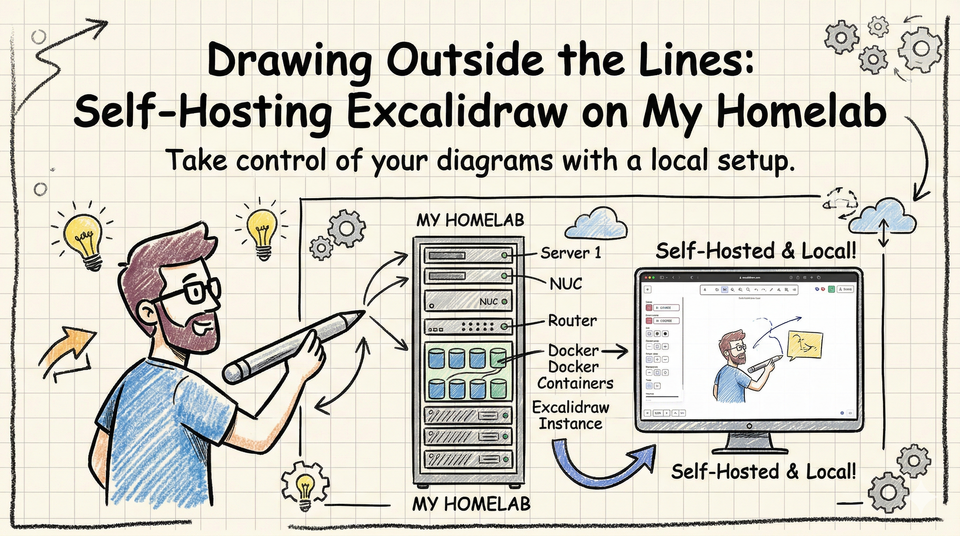
Drawing Outside the Lines: Self-Hosting Excalidraw on My Homelab
What Even Is Excalidraw?
Excalidraw is an open-source, virtual whiteboard tool that lets you create hand-drawn style diagrams and sketches right in your browser. No account required. No steep learning curve. Just an infinite canvas and a set of simple, intuitive tools.
The aesthetic is intentionally sketchy — think whiteboard marker meets napkin drawing — and that's actually a feature, not a bug. It signals to your audience (and your brain) that what's on the canvas is a work in progress, an idea still being shaped. That's a surprisingly powerful mindset shift when you're in the early stages of planning something.
Features include:
- Freehand drawing, shapes, arrows, and text
- Shareable links for real-time collaboration
- Export to PNG, SVG, or the native
.excalidrawformat - Dark mode
- A built-in library of reusable components
- End-to-end encrypted collaboration rooms
Why Self-Host It?
Great question. The official version at excalidraw.com is already free and works brilliantly. So why go through the effort of hosting your own?
A few reasons:
1. Ownership and Privacy
When you self-host, your data stays on your infrastructure. Diagrams, wireframes, and system designs can sometimes contain sensitive information — architecture plans, business logic, feature ideas you haven't shipped yet. Keeping that on a server you control is just good hygiene.
2. It Fits the "Work Hard, Be Kind" Philosophy
The domain isn't just a URL — it's an ethos. Part of working hard means being intentional about the tools you use and the infrastructure you build. Self-hosting is a small but meaningful way to stay deliberate and hands-on with your stack.
3. Customization Potential
With your own instance, you can tweak it, brand it, and eventually integrate it into other tooling if you want. The open-source nature of Excalidraw means the ceiling is basically unlimited.
4. It's Just Fun
Honestly? Spinning up your own instance of a tool you love is one of the small joys of being technical. It's a Sunday afternoon project that pays dividends every single time you use it.
How I Use It
Here's where draw.workhardbekind.com actually earns its keep in my day-to-day:
- System design sketches — Before I write a single line of code, I draw it out. Boxes, arrows, and labels help me catch design flaws before they become bugs.
- Explaining ideas to others — Sometimes a quick diagram shared via link communicates in five seconds what a paragraph of Slack messages can't.
- Brainstorming — There's something about the low-fidelity, hand-drawn aesthetic that makes brainstorming feel safe. Nothing looks too precious to throw away.
- Meeting notes with visuals — Instead of bullet points, sometimes I'll sketch a flow or a structure during a call and share the link afterward.
Go Try It
You don't need an account. You don't need to install anything. Just head to draw.workhardbekind.com, open it up, grab a shape, and start drawing. Your next great idea might just need a canvas to live on.
And if you're inspired to self-host your own tools, start with Excalidraw. It's one of the easier ones to get up and running, and the payoff in daily utility is absolutely worth it.
Work hard. Be kind. And draw it out first.