Optimizely 13: Officially the "AI-first" era.
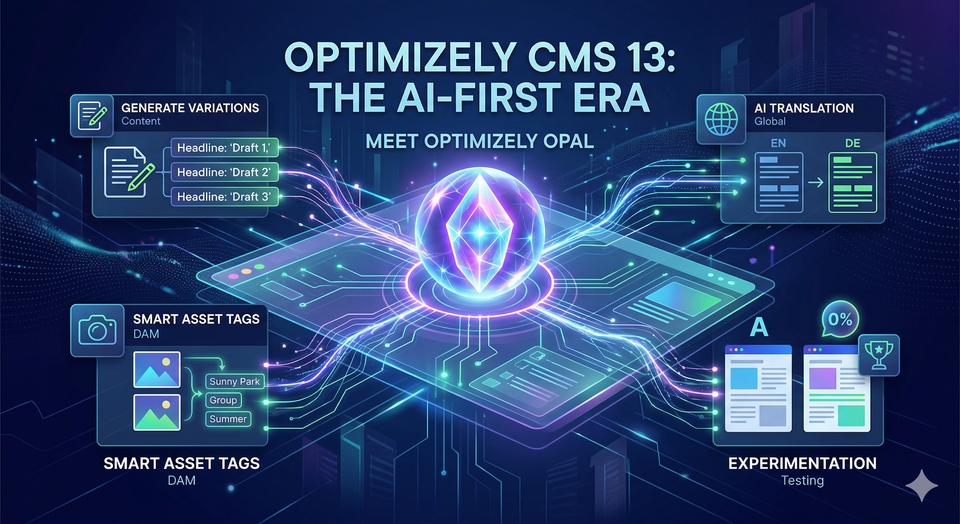
At the heart of this transformation is Optimizely Opal, the platform’s generative AI agent orchestration layer. But "AI" in CMS 13 isn’t just a fancy chatbot tacked onto the side—it’s baked into the very foundation of the editing experience.
1. Meet Your New Co-Pilot: Optimizely Opal
If you’ve spent any time in the new interface, you’ve noticed the Ask Opal button. In CMS 13, Opal has evolved from a simple text generator into a sophisticated agent orchestrator.
Unlike generic AI tools, Opal is contextually aware of your brand. Because CMS 13 now requires Optimizely Graph as a core component, Opal can "read" your existing content library to ensure that any new copy it drafts matches your established brand voice, tone, and legal guidelines.
What can Opal actually do?
- Content Modeling: Ask Opal to analyze a URL or an image, and it can automatically suggest a content model or schema.
- Smart Summarization: Instantly generate meta descriptions, social snippets, or summaries for long-form articles.
- Variation Generation: Stuck on an A/B test? Opal can generate three different versions of a hero banner’s copy based on different psychological triggers (e.g., urgency vs. curiosity).
2. Optimizely Graph: The "Brain" Behind the AI
The most significant technical change in CMS 13 is that Optimizely Graph is no longer optional—it’s the backbone. This is a game-changer for AI because of a concept called Retrieval-Augmented Generation (RAG).
By indexing all your content into a high-performance GraphQL schema, the system provides a "grounded" knowledge base for the AI. This prevents the "hallucinations" common in other AI tools. When you ask the AI to "write a blog post about our new winter collection," it isn't just guessing; it’s querying the Graph to see exactly what products are in that collection.
3. Visual Builder & Generative Design
The traditional "On-Page Editing" has been replaced by the Visual Builder. This is a drag-and-drop, headless-first experience that integrates AI directly into the layout process.
- Section Blueprints AI suggests reusable layout structures based on the type of content you're adding, helping you move from a blank page to a structured layout in seconds.
- Responsive Preview AI-assisted cropping ensures that your images and text focal points remain centered and impactful across mobile, tablet, and desktop views automatically.
- Style Settings The AI can suggest color palettes or font pairings that align with your site's pre-approved design tokens, ensuring brand consistency even when non-designers are building pages.
4. Automation for the Global Scale
Managing a multi-language site used to be a manual nightmare. CMS 13 introduces AI-powered Auto-translation that does more than just swap words.
The new machine translation engine preserves the structure of your pages. This means if you have a complex layout with nested blocks and specific formatting, the AI translates the text while keeping every block, row, and column exactly where it belongs in the target language.
5. Smart Assets and the DAM
The integration between CMS 13 and the Optimizely Digital Asset Management (DAM) is tighter than ever. Within the CMS, you can now use Opal to:
- Edit Images via Text: "Remove the background and make the lighting warmer."
- Auto-Tagging: The AI analyzes uploaded images and applies metadata automatically, making them searchable via the new Content Manager interface.
- Semantic Search: Instead of searching for "filename_v2.jpg," you can search for "happy people in a sunny park," and the Graph-powered search will find it based on visual context.
The Verdict: Is it worth the upgrade?
If you’re still on CMS 12 (or heaven forbid, CMS 11), the jump to 13 is about velocity. The AI elements in this version aren't just toys; they are designed to remove the "blank page" problem for editors and the "repetitive task" problem for developers.
Optimizely 13 isn't just a place to store your content—it’s an active participant in creating it.
Pro Tip: Before you make the jump, ensure your team is ready for Opti ID. This new unified login system is mandatory for CMS 13 and is the key to letting Opal work across your entire Optimizely One ecosystem.